What Should You Look for in an AI CCTV Solution?
Choosing an AI CCTV solution is about more than buying cameras with artificial intelligence. The right system should help your organisation detect relevant events, reduce unnecessary alerts, protect sensitive data and turn video footage into useful security intelligence.
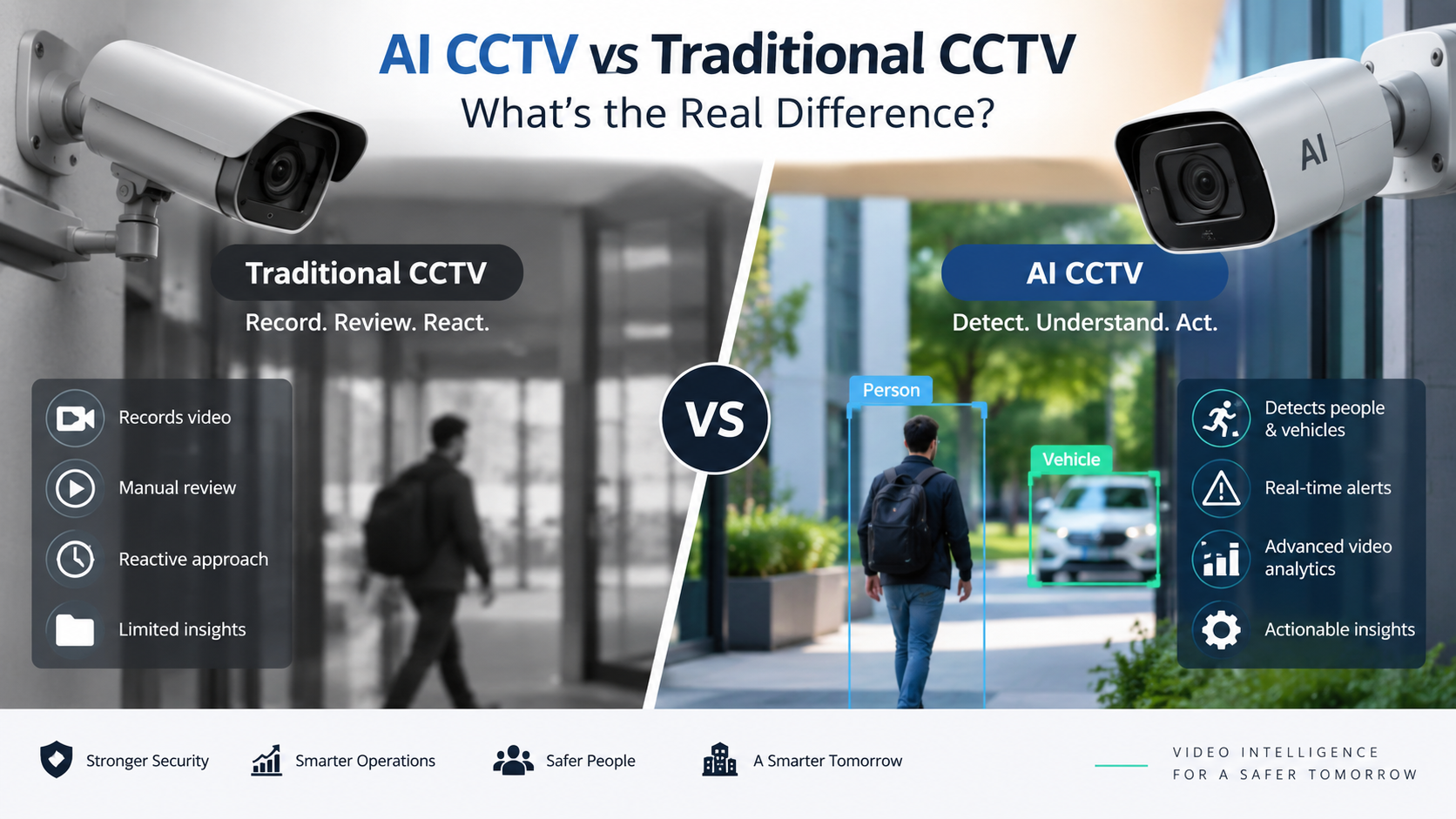
Traditional CCTV is primarily designed to capture and store footage. An AI-enabled CCTV system can go further by using computer vision and video analytics to interpret what is happening in a camera feed.
But not every AI CCTV solution offers the same capabilities.
Before investing, businesses should look beyond camera resolution and storage capacity and evaluate how well the complete system fits their security requirements, existing infrastructure, privacy obligations and future needs.
Here are the key factors to consider.
1.Start With the Security Problems You Need to Solve
The first question should not be:
“Which AI CCTV camera should we buy?”
It should be:
“What security or operational problem are we trying to solve?”
Different environments have very different requirements.
A warehouse may need to monitor restricted zones and after-hours movement. A retail environment may be more concerned with unusual activity, entrances and customer areas. A construction site may require perimeter monitoring, while an industrial facility may need visibility across large operational areas.
Define the use cases before selecting the technology.
| Environment | Potential AI CCTV use case |
| Warehouses | Restricted-area monitoring |
| Retail | Activity and incident monitoring |
| Offices | After-hours activity |
| Factories | Operational and safety monitoring |
| Construction | Perimeter and site monitoring |
| Parking areas | Vehicle and movement monitoring |
| Large facilities | Multi-camera situational awareness |
2.Look at the Video Analytics Capabilities
The camera itself is only one part of an intelligent surveillance system.
The video analytics layer is what determines how effectively the system can interpret video.
Depending on the solution, look for capabilities such as:
- Person detection
- Vehicle detection
- Object detection
- Intrusion detection
- Restricted-zone monitoring
- Loitering detection
- Line or boundary crossing
- After-hours activity
- Directional movement
- Event-based alerts
- Searchable video events
The important question is not how many features are listed on a brochure.
Ask:
How accurately do those analytics work in the environment where they will actually be deployed?
Lighting, camera positioning, weather, crowd density, camera angle and environmental conditions can all affect performance.
3.Prioritise Detection Accuracy Over Marketing Claims
AI CCTV systems can generate impressive demonstrations.
Real-world environments are much more complicated.
A system that performs well in a controlled demonstration may behave differently when exposed to:
- Poor lighting
- Glare
- Shadows
- Rain
- Obstructions
- Crowded areas
- Different camera angles
- Moving vehicles
- Changing environmental conditions
This is why businesses should evaluate real-world detection performance, not simply the number of AI features advertised.
Ask vendors:
- What conditions have been tested?
- How are false positives handled?
- Can detection thresholds be configured?
- Can different zones have different rules?
- Can the system be tested with your existing cameras?
A strong evaluation process should include a proof of concept or controlled pilot wherever practical.
4.False Alerts Matter More Than You Think
An AI CCTV system that generates too many irrelevant alerts can become a problem rather than a solution.
Imagine a security team receiving hundreds of notifications because of:
- Shadows
- Animals
- Headlights
- Rain
- Normal pedestrian movement
- Environmental changes
Eventually, important alerts can get lost among the noise.
This is why alert quality matters.
A good system should allow organisations to configure rules around factors such as:
Who or what?
Person, vehicle or another relevant object.
Where?
A specific zone, entrance, boundary or restricted area.
When?
During business hours, after hours or a defined time period.
What happened?
Entry, movement, loitering, boundary crossing or another configured event.
The goal is not to generate more alerts.
The goal is to generate more meaningful alerts.
5.Check Whether It Works With Your Existing Cameras
Replacing an entire CCTV infrastructure can be expensive.
If your organisation already has cameras installed, investigate whether the AI analytics platform can work with your existing infrastructure.
Ask about:
- Camera compatibility
- ONVIF support where applicable
- Existing video management systems
- Network architecture
- Video streams
- Edge versus centralised processing
- Storage systems
- Third-party integrations
An AI solution that can intelligently use an existing camera estate may provide a very different implementation cost from one that requires a complete hardware replacement.
6.Understand Where the AI Processing Happens
One important technical consideration is where video analysis takes place.
AI video analytics can be implemented using different architectures, including:
Edge Processing
Analysis takes place close to the camera or on local processing hardware.
Potential advantages include:
- Lower bandwidth requirements
- Faster local processing
- Reduced need to send continuous video to the cloud
On-Premises Processing
Video is processed within the organisation’s own infrastructure.
This may be appropriate where organisations have specific requirements around data control or network architecture.
Cloud Processing
Video or relevant data is processed using cloud infrastructure.
This can offer scalability and centralised management, but organisations should carefully evaluate connectivity, data handling, storage and privacy requirements.
Hybrid Architecture
Some systems combine local processing with centralised or cloud-based services.
There is no single architecture that is right for every organisation.
The right choice depends on:
security requirements + infrastructure + latency + bandwidth + scalability + data governance.
7.Make Privacy and Data Protection a Core Requirement
AI CCTV introduces an important consideration that traditional CCTV may not address in the same way:
the system is analysing video and potentially extracting information about people, vehicles and behaviour.
That makes privacy and data governance an important part of the buying decision.
Ask vendors how the solution handles:
- Personal information
- Video retention
- Access permissions
- Data storage
- Data transmission
- User authentication
- Audit logs
- Data deletion
- Privacy controls
- Sensitive information
Organisations should also consider their own legal and regulatory obligations and obtain appropriate privacy advice where required.
For example, depending on the use case, organisations may need to think carefully about facial recognition, biometric information, employee monitoring and retention periods.
Privacy should not be an afterthought.
It should be considered when designing the system.
8.Look for Strong Cybersecurity Controls
An internet-connected camera is part of your technology environment.
That means CCTV infrastructure can also become a cybersecurity consideration.
When evaluating an AI CCTV solution, ask about:
- Encryption
- Secure authentication
- Role-based access
- Password policies
- Software updates
- Firmware management
- Network segmentation
- Audit logs
- Secure APIs
- Device management
- Vulnerability management
Also understand who has access to the video, analytics and system administration functions.
A sophisticated AI system is only as secure as the infrastructure surrounding it.
9.Consider Scalability From Day One
A solution that works for ten cameras may not be suitable for 500.
If your organisation expects to expand, consider how easily the platform can accommodate:
- Additional cameras
- New locations
- Multiple sites
- Additional users
- New analytics
- Increased video volumes
- Centralised monitoring
A scalable architecture can help avoid having to redesign the entire security environment as the business grows.
10.Look for Centralised Visibility
Businesses with multiple cameras need more than individual camera feeds.
A strong platform should make it easier for authorised users to understand what is happening across the environment.
Useful capabilities may include:
- Centralised dashboards
- Event timelines
- Camera health monitoring
- Alert management
- Search
- Event filtering
- Site-level visibility
- User permissions
- Reporting
The objective is to turn hundreds of camera feeds into manageable security information.
11.Check Alert Delivery and Integration
Detecting an event is only useful if the right person receives the information.
Evaluate how the system communicates alerts.
Depending on the platform, this could include:
- Dashboard notifications
- Mobile notifications
- Webhooks
- APIs
- Security platforms
- Existing monitoring systems
- Other business applications
Integration can be particularly important for larger organisations where CCTV is part of a broader security or operational environment.
12.Don’t Ignore the User Experience
AI CCTV is ultimately used by people.
A technically powerful platform can still fail if security teams find it confusing or difficult to operate.
Look at:
- Dashboard clarity
- Alert prioritisation
- Search experience
- Camera navigation
- Investigation workflow
- User permissions
- Mobile experience
- Reporting
Ask your actual security personnel to test the interface.
They will often identify usability problems that are invisible during a vendor presentation.
13.Ask About Vendor Support and Product Roadmap
AI technology evolves quickly.
Before selecting a solution, understand:
- How often software is updated
- How new analytics are introduced
- How security vulnerabilities are handled
- What technical support is available
- What happens when hardware reaches end of life
- Whether integrations are maintained
You are not simply buying a camera.
You are potentially building part of your organisation’s long-term security infrastructure.
The Best AI CCTV Solution Is Not Necessarily the Most Advanced
It is easy to get distracted by impressive AI terminology.
But the best solution for your organisation is not necessarily the one with the longest feature list.
It is the one that can reliably answer the questions that matter to your security team:
What happened?
Where did it happen?
When did it happen?
Does it require attention?
How quickly can we respond?
Can we investigate it afterwards?
And increasingly:
How are the data and privacy risks being managed?
Final Thoughts
Choosing an AI CCTV solution requires looking beyond cameras and recording capacity.
The strongest solutions combine reliable video analytics, meaningful alerts, flexible deployment, privacy and cybersecurity controls, scalable architecture and an interface that security teams can actually use.
Before making a purchase, define your security use cases, test the analytics in your environment and evaluate the complete technology stack.
Most importantly, don’t measure success by how much video your organisation can record.
Measure it by how effectively you can detect, understand and respond to what matters.
Looking for a smarter approach to CCTV?
Tara’s Cam Secure combines intelligent camera monitoring with AI-powered video analytics to help organisations move beyond passive recording towards more proactive security monitoring.
Detection accuracy is one of the most important considerations, but it should be evaluated alongside false-alert performance, analytics capabilities, integration, privacy, cybersecurity and usability.
AI CCTV can provide capabilities beyond traditional recording by analysing video and identifying configured events. However, the right solution depends on the organisation’s security requirements, infrastructure and use cases.
Some AI video analytics platforms can work with existing camera infrastructure, depending on camera compatibility, video streams and system architecture. This should be confirmed with the vendor before implementation.
It can. AI CCTV may analyse information about people, vehicles or behaviour, so organisations should consider applicable privacy requirements, data handling, access controls, retention and the specific analytics being used.
AI video analytics uses technologies such as computer vision and machine learning to analyse video footage and identify configured objects, events or patterns.
Businesses can reduce unnecessary alerts by using appropriate analytics, configuring detection zones and time periods, tuning detection rules and testing the system in real-world conditions.
There is no universal answer. The appropriate architecture depends on factors such as privacy, connectivity, bandwidth, latency, security requirements, scalability and existing infrastructure.